You will need access to the Admin Tab.
New staff need to be added to Aplus+ manually. You'll need the new users **usercode**, **first** and **last name**, and **email address.** From the admin tab select **Staff** >> **Add Staff.** 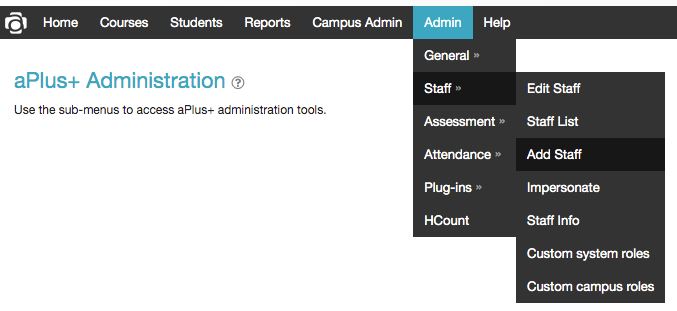If you're not sure if the user has been add previously, it's a good idea to check using grey box on the right.
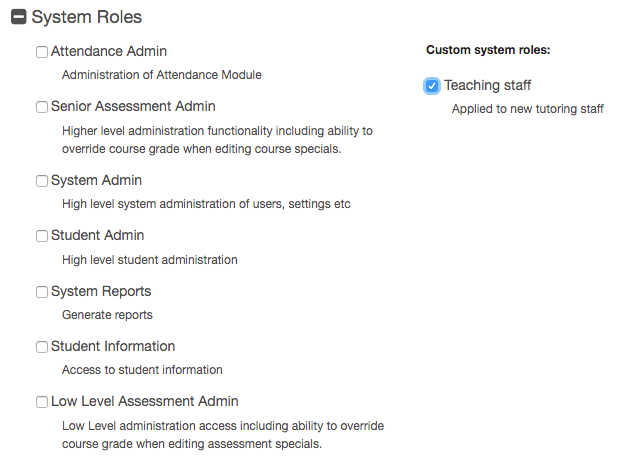
Enter the new users details in the form displayed and click **Next…** 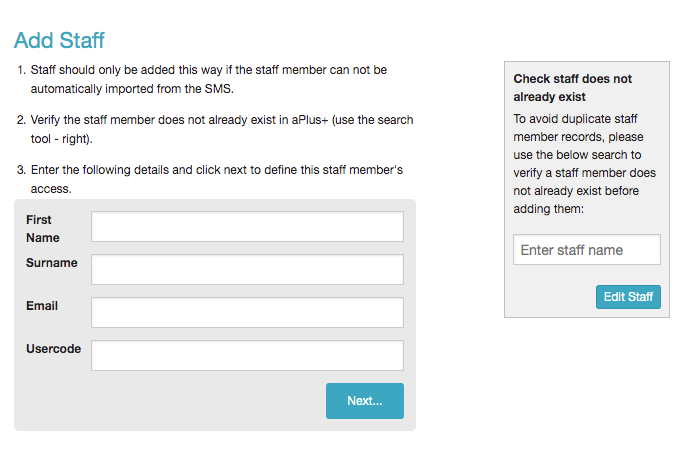 In the next screen tick teaching staff.If you adding a higher level user you can tick other options that may be necessary.
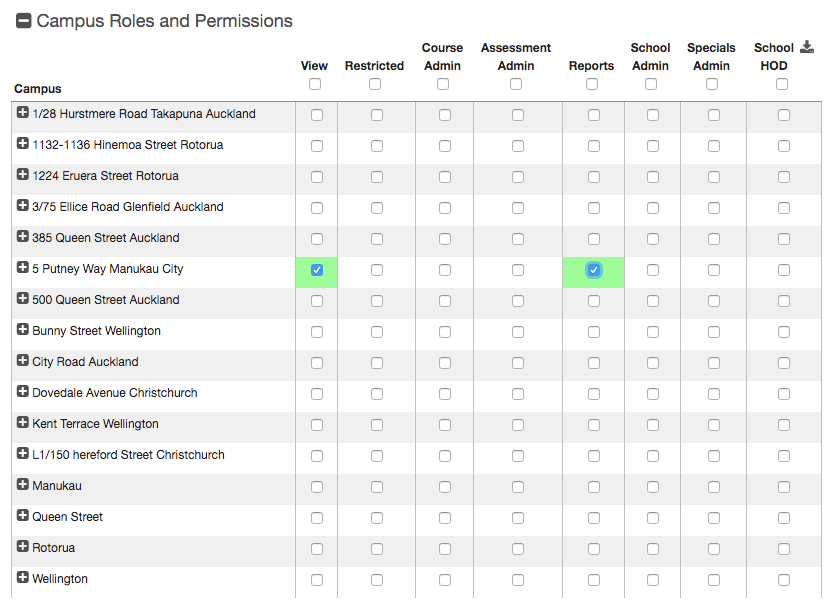
 Tick **View** and **Reports** for each of the campuses the user will be working on.If you adding a higher level user you can tick other admin options that may be necessary.
 Click **Save Changes…**